
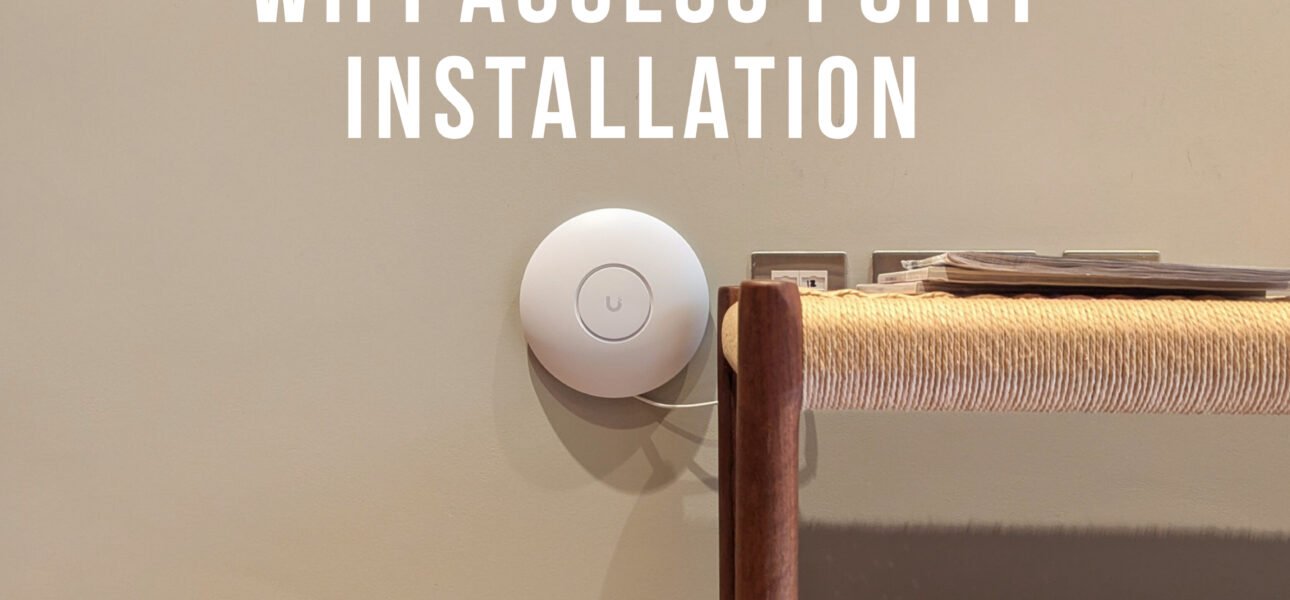
Mesh Wi-Fi or wired access points: which should you choose?
Wired access points or mesh Wi-Fi? If your Wi-Fi drops out upstairs or barely reaches the garden, you’ve probably looked at both. Both spread Wi-Fi around your home, but in very different ways. Mesh units talk to each other wirelessly, while wired access points are each connected back to your router with a data cable.
In short, mesh is quick to set up and fine for many flats. However, in larger houses, older London homes with thick walls, or anywhere you want reliable speed in every room, a wired system almost always performs better. Here’s why.

How the signal reaches each floor
Switch between mesh and wired access points to see how Wi-Fi travels up through a typical London house.
Mesh Wi-Fi vs wired access points at a glance
The key differences side by side.
| Mesh Wi-Fi | Wired access points | |
|---|---|---|
| Speed in every room | Drops with each wireless hop | Full speed at every access point |
| Thick walls and floors | Can struggle to link through | Unaffected, because the link is a cable |
| Installation | Plug and play | Data cables to each access point |
| Power | A plug socket for each unit | Powered through the data cable (PoE) |
| Looks | Units on shelves and sideboards | Flat on the ceiling, like a smoke alarm |
| Upfront cost | Lower | Higher, because of the cabling |
| Best for | Small flats and rented homes | Houses, offices and garden rooms |
Want Wi-Fi that reaches every room? We survey, cable and set up UniFi access points across London.
Why wired access points are faster than mesh
A mesh system passes your data from unit to unit over Wi-Fi, so each hop uses airtime that could have carried your internet traffic. As a result, speeds often drop the further you are from the router.
A wired system, on the other hand, gives each access point its own data cable back to the router. Therefore, every one can deliver its full speed, and the same cable usually carries the power too, using PoE.
When mesh Wi-Fi is the right choice
Mesh is a good fit for smaller flats, rented homes and anywhere you can’t run cables. It’s also a quick fix if just one room has a weak signal.
If you can run even one or two cables, though, many mesh systems can use them as a “wired backhaul”, which gives you much of the benefit of a wired system.
When wired access points are worth it
They’re worth it in larger houses, homes over several floors, properties with thick walls, and anywhere people work from home or stream in several rooms at once.
They’re also ideal for garden offices. For example, a data cable run alongside the power supply gives you full-speed Wi-Fi at the bottom of the garden. See our guide on Wi-Fi access point installation.
Is your home right for wired access points?
A wired system is likely to suit you if:
- Your Wi-Fi drops out on the top floor or in the loft
- You have thick brick walls, steel beams or an extension
- Several people stream, game or work from home at once
- You have a garden office or outbuilding that needs Wi-Fi
- You’re planning a rewire, loft conversion or renovation
- You want ceiling-mounted access points instead of boxes on shelves
If most of these apply, wired access points will almost always outperform mesh.
How we install wired access points
We follow the same three steps in every home or office.
We survey your home
We look at the layout, the walls and where you need coverage, then plan how many access points you need and where.
We run the cabling
Then we run Cat6 data cables to each access point, routed as neatly as possible, back to your router or a network switch.
We set up and test
Finally, we mount the access points, set up the network and test the signal in every room, so you know it works everywhere.
Mesh vs wired access points: FAQs
Is mesh Wi-Fi as good as wired access points?
Not usually. Mesh is convenient, but each wireless hop reduces speed. A wired system has its own cable to each access point, so it gives full, consistent speed in every room.
Do wired access points need a plug socket?
Not normally. Most, including UniFi access points, are powered over the same data cable using PoE, so they only need one cable each.
Can I use mesh with wired backhaul?
Yes. Many mesh systems can link their units with data cables instead of Wi-Fi, which is a good middle ground if you can run a few cables.
How many access points do I need?
It depends on the size, layout and walls of your home. As a rough guide, many houses need one per floor, plus one for a garden office, but a survey gives the real answer.
Can cables be run without damaging walls?
Often, yes. We route cables through lofts, under floors and inside existing voids where possible. However, it’s easiest and neatest during a renovation.
How much does a wired Wi-Fi system cost?
It depends on how many access points you need and how easy the cable routes are. Send us a WhatsApp with your floor plan or a few photos, and we’ll give you a free quote.
Want Wi-Fi that works in every room?
We install UniFi access points and Cat6 data cabling in homes and offices across London. See our data networking service, or message us for a free quote.
Speak to a London electrician today
Call, email or WhatsApp us for a free quote. For emergencies, we answer 24/7.
